Find the best lumbar pad for office chair comfort. Learn how to choose, fit, and maintain one, plus when back pain needs clinical care.



You've been at your desk since morning, and the discomfort arrived so gradually that you barely noticed it. By late afternoon, the lower back feels dull and compressed, standing up feels like a reset, and the chair's built-in support seems to sit either too high, too low, or nowhere useful at all.
That's why buying a lumbar pad for an office chair can feel appealing. But the thickest cushion isn't automatically the right one. The useful question is more specific: for whom, in what chair geometry, and alongside which workstation changes does a lumbar pad improve comfort and function?
Consider a typical analyst working a full day in a flat-padded task chair. The seat and backrest are locked close to a right angle, the seat depth is fixed, and the lower back has to bridge a hollow space without support. By the end of the day, the ache may spread across the belt line and occasionally toward the sacroiliac region.
A generic chair fails in several ways at once. A backrest that keeps the trunk too upright can encourage the pelvis to roll backward, while a shallow backrest leaves the lumbar curve unsupported. A seat that's too deep may leave a gap behind the knees if the user sits back, or force the user forward if the seat edge presses into the legs. A seat that's too short can leave the thighs unsupported and make the user brace against the backrest.
Practical rule: A lumbar pad should correct a missing contact point. It shouldn't compensate for a seat that's fundamentally the wrong size.
When the lower back rounds during prolonged sitting, the lumbar lordosis becomes less pronounced and the pelvis changes position. The muscles around the trunk may remain active at a low level, while the discs and posterior tissues tolerate sustained loading. That doesn't mean every ache represents structural damage, but it does explain why a person can feel progressively worse in a chair that seemed comfortable during the first hour.
A lumbar pad can't shorten an excessively deep seat, lower an armrest, or make a backrest recline when the mechanism is locked. If your feet don't reach the floor, your hips are forced into an awkward position, or your shoulders sit in front of the backrest, adding a cushion may create another pressure point rather than solve the original problem.
For a broader workstation review, it can help to find ergonomic pieces for your whole home rather than treating the office chair as an isolated object. The desk, monitor, arm support, and seating surface all influence how long you can tolerate a posture.
The most useful starting point is therefore not “Which pad has the most contour?” It's “Where does my back lose contact, and what does the rest of the chair do when I restore it?”
A controlled study of four office-chair configurations found that combining lumbar support with seat-pan tilt produced the most neutral back and pelvic posture. The researchers also observed that a clinically significant portion of participants still experienced sitting-induced pain. Better posture measurement therefore does not guarantee symptom relief (the controlled chair study is indexed here).
A lumbar pad changes contact between the lower back and the backrest. If its position matches the user's curve, it can help the pelvis remain closer to an upright position and preserve some lumbar lordosis rather than allowing the trunk to collapse backward.
Fitted lower-back support has been associated with increased sacral inclination, greater total and segmental lumbar lordosis, increased lumbar intervertebral disc height, lower peak pressure beneath the ischia, and reduced trunk-muscle activity (CDC-hosted biomechanical evidence). Related research found that increasing lumbar support while reducing ischial support shifted some sitting load toward the thighs, increased backrest contact, and significantly decreased lumbar muscle activity (adjustable ischial and back-support research).
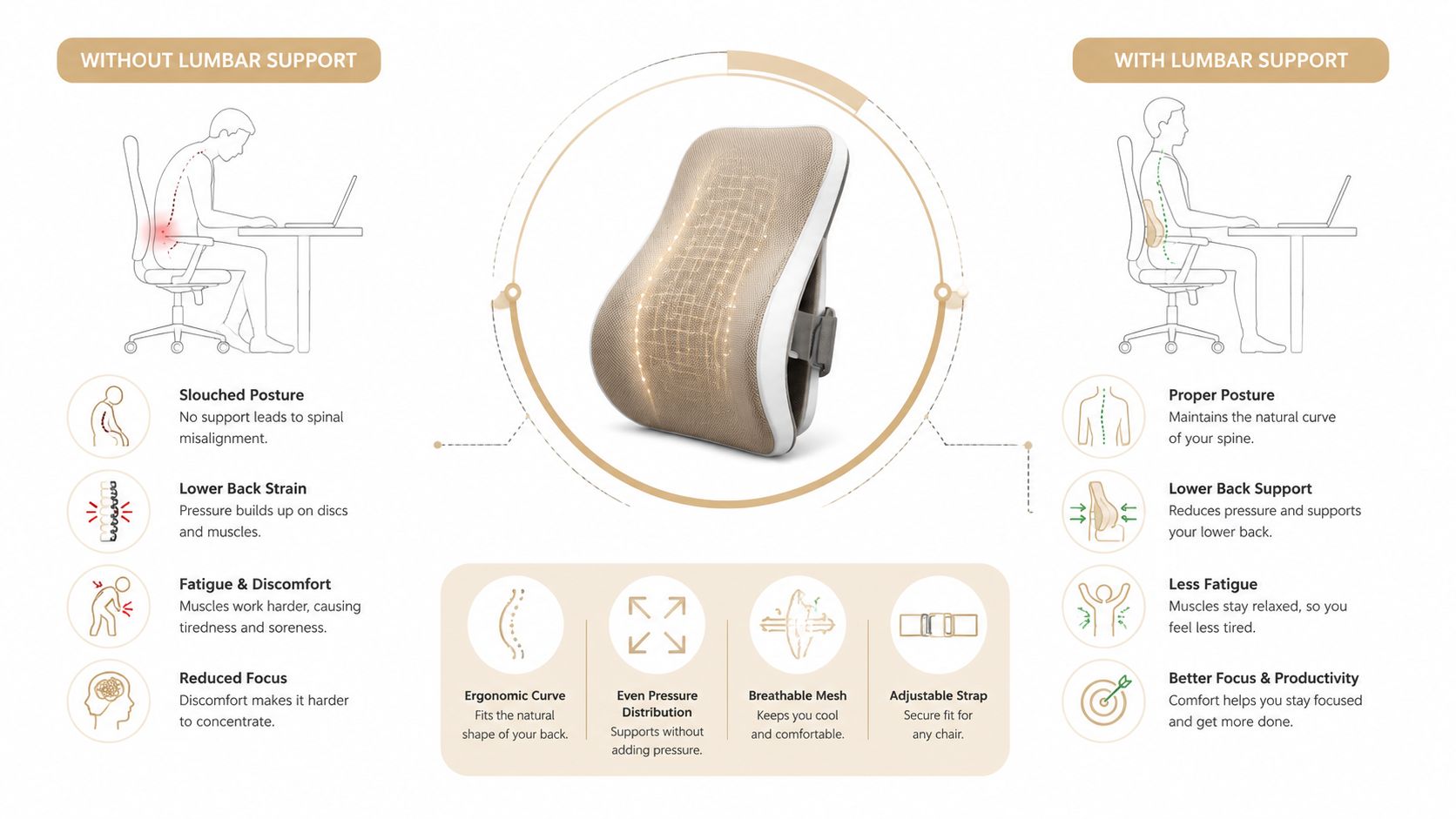
Preferred support settings vary widely. In a workplace study of 123 office workers, the mean preferred lumbar-support height was 190 mm above the compressed seat surface, while the mean preferred depth was 387 mm from the front of the seat to the lumbar point. Preferences reached both extremes of the available adjustment range, which argues against a fixed, one-size-fits-all pad (workplace lumbar-support study).
These figures are reference points, not prescriptions. Your lumbar apex, torso length, pelvic position, recline angle, and seat compression determine the useful position. A pad set too high can press into the lower ribs or push the thoracic spine forward. Set too low, it can press into the sacrum and encourage an unwanted pelvic shift.
Height and depth need separate checks. Raise or lower the pad until its fullest point meets the lumbar curve, then adjust depth so it restores contact without forcing the trunk forward. Sit for several minutes and reassess pressure, breathing, and thigh support rather than judging the fit immediately.
Mesh backrests respond differently from passive foam pillows. A tensioned or flexible backrest permits small posterior shifts during reclining and movement, while a firm pad may hold one static contour. Neither is automatically superior. Dynamic movement generally calls for support that maintains contact without forcing the spine into one rigid position.
For practical desk posture help from Meliusly, assess the relationship between your back, chair, and the gap behind the curve. Gentle movement and targeted mobility work can complement that setup, including posture correction exercises.
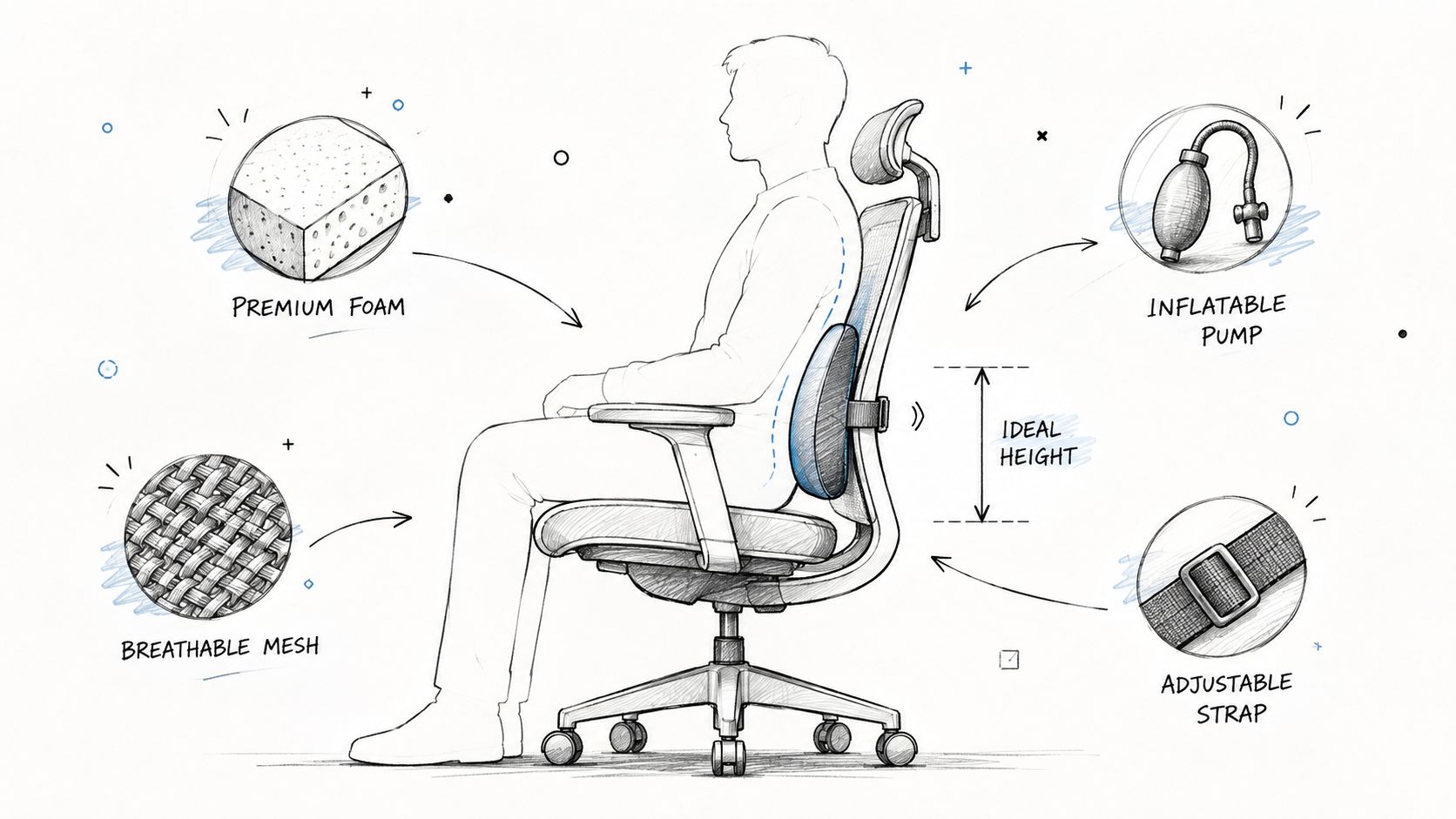
The material determines how the pad responds when you lean, sweat, shift, or sit for a long work session. A contoured pad can feel supportive immediately but become intolerable if it's too aggressive. A breathable mesh option may suit long sitting better but provide less shape. An inflatable model offers useful tuning, though its hardware introduces another failure point.
| Lumbar Pad Type | Support Level | Adjustability | Durability | Best-Fit Body Type |
|---|---|---|---|---|
| Memory foam | Moderate, with a deep contour | Low | Moderate, depending on compression and cover | Shorter sitting periods and average frames needing pressure distribution |
| Mesh | Low to moderate, with a softer profile | Low to moderate | Variable, based on tension and construction | Users who run warm or prefer less pronounced support |
| Inflatable | Moderate to high, depending on inflation | High for depth | Lower at the valve and air chamber | Users whose chair geometry or preferred firmness changes |
| Contoured or structured | High, with a pronounced lordotic shape | Moderate if mounted correctly | High when the shell and attachment are sound | Users needing firm directional support and chairs with enough space |
Memory foam spreads pressure and conforms to the lower-back hollow. It's often comfortable for shorter sits or for users who want a softer transition between the body and a flat backrest. The drawback is limited height control. If the pad's deepest point doesn't match your lumbar apex, the foam can create a broad but misplaced pressure zone.
Mesh is thin, ventilated, and less likely to trap heat. It usually provides a gentler push than a structured pad, which can work well for someone who dislikes a pronounced lumbar hump. On the other hand, mesh may not fill a large gap, and strap-only designs can migrate during reclining.
Inflatable pads are useful when depth is hard to predict or when different users share a chair. You can add air gradually instead of committing to the full thickness of a foam contour. Valves can leak, pumps can fail, and the air chamber may feel unstable if the chair's backrest doesn't hold it securely.
A molded shell or hybrid foam-and-shell design gives the strongest directional correction. That can help a user whose lower back consistently flattens, but it's the least forgiving option for slim frames, shallow seats, or chairs with a strong built-in curve.
No external pad replaces a chair with built-in adjustable lumbar support. If you work long hours in the same chair and the seat depth, recline, and lumbar height are all wrong, replacing the chair may be more effective than layering accessories. For more general support considerations, review this guide to orthopedic chair support.
Test the chair before adding anything. Sit fully back with your feet supported, place your hips against the rear of the seat pan, and allow the existing backrest to carry your weight. If the chair already has an adjustable lumbar mechanism, move it through its range before deciding that an external pad is necessary.
Check the backrest height, seat depth, recline function, upholstery, and attachment points. A tall upholstered back may accept straps easily, while a narrow frame or flexible mesh may require a lighter, thinner design. Rounded edges, moving tilt mechanisms, and removable covers can also affect whether a strap stays in place.
Measure the gap. With your normal working posture, estimate the space between the lumbar curve and backrest. A useful starting height range is approximately 150 to 250 mm above the compressed seat surface, but body size and chair geometry should determine the final position. Empirical preferred-setting data support treating this as an adjustable range rather than a universal target (preferred-setting evidence).
Find the lumbar apex. Locate the deepest part of the inward curve, usually around the belt line. The pad's thickest point should sit at or just below that area, not against the ribs and not directly over the sacrum.
Start shallow. Use the least depth that restores comfortable contact. A pad should support the curve without pushing your abdomen toward the desk or making you feel as if you must hold yourself away from the backrest.
Secure the attachment. Strap-on pads work with many upholstered chairs, but loose straps can slide upward or bunch. Clip-on designs are cleaner when the frame is compatible, although rigid clips may interfere with recline or tilt.
Re-test under real conditions. Try the setup for 10 to 15 minutes, then reassess after an hour. Numbness, rib pressure, increased pain, or an urge to lean away indicates that the support is too high, too deep, too firm, or incompatible with the chair.
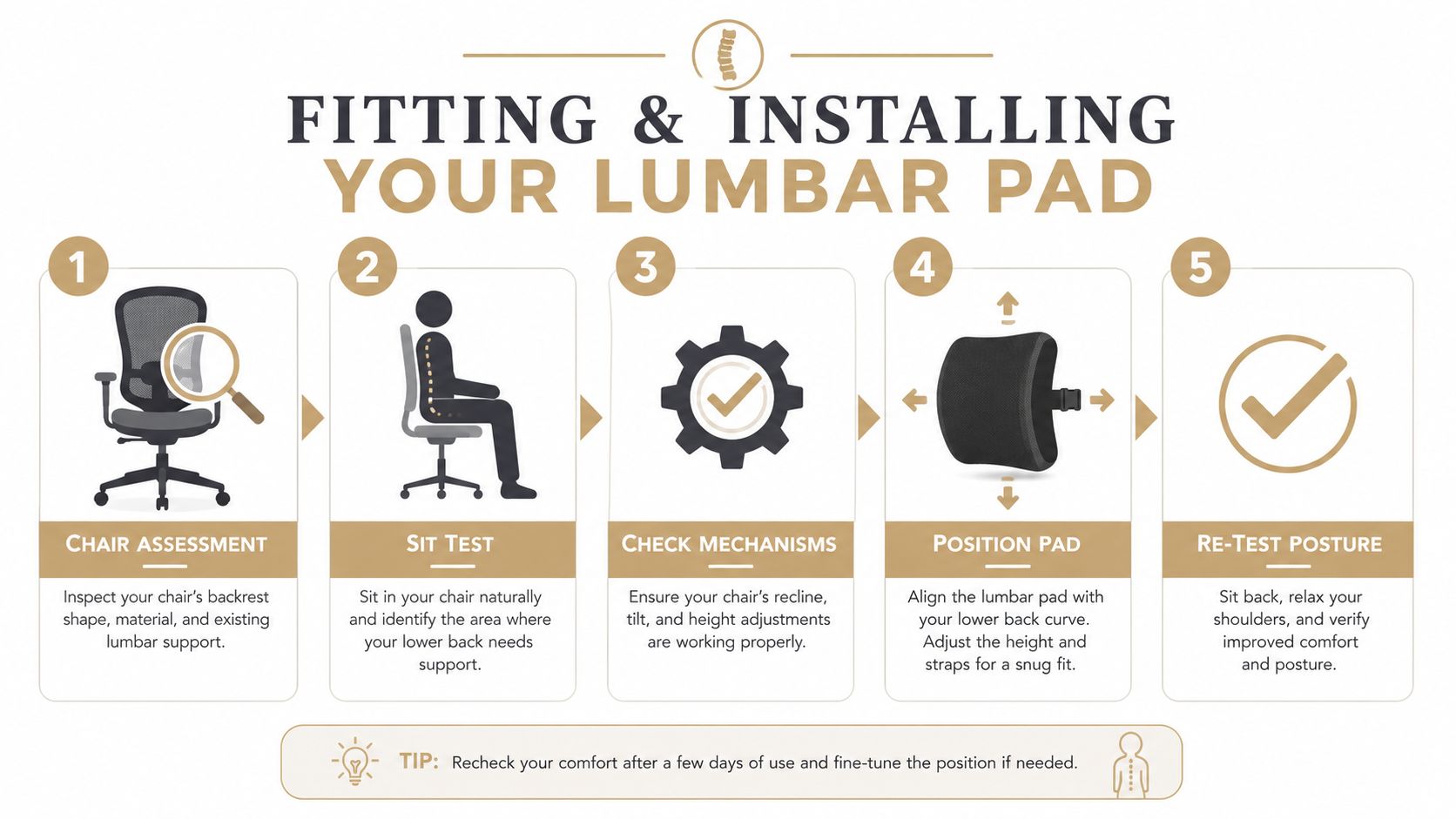
Keep the original backrest in place whenever possible. The external pad should act as a small corrective shim, not replace the chair's entire support surface. Recheck the setup after changing the chair, seat depth, desk height, or user, because each change alters the lumbar gap.
A lumbar pad can change sitting mechanics, but it isn't a guaranteed treatment for back pain. Its most plausible benefit is reducing the tendency to slump by maintaining some inward curve and improving contact with the backrest. Some users feel more comfortable even when their pain doesn't change, while others feel worse because the pad creates pressure or encourages a rigid posture.
The evidence supports an individualized trial. The workplace preference study found substantial variation in lumbar-support height and depth, so one fixed position is unlikely to suit every body. A systematic review concluded that chair interventions provided very low- to low-quality evidence for reducing pain and discomfort and shouldn't be treated as a stand-alone remedy for low back pain (systematic review of chair interventions).
| Question | What the Evidence Suggests | Practical Takeaway |
|---|---|---|
| Does support change posture? | Fitted support can improve lumbar and pelvic posture, including preservation of lordosis. | Use the pad to restore comfortable contact, not to force a rigid position. |
| Does improved posture guarantee pain relief? | No. A clinically significant portion of participants still experienced sitting-induced pain despite more neutral posture. | Track symptoms and function rather than judging success by posture alone. |
| Does one pad fit everyone? | No. Preferred height and depth vary widely between users. | Choose height and depth adjustment whenever possible. |
| Is a pad enough for persistent pain? | Chair-only interventions have very low- to low-quality evidence for meaningful pain reduction. | Pair the pad with workstation changes, movement, exercise, or clinical evaluation. |
Set seat height so your knees are near a comfortable right angle, keep both feet supported, and position the monitor near eye level. Support the forearms so the shoulders don't drift forward, and change position regularly rather than trying to maintain a perfect posture all day.
A practical trial lasts one to two weeks. Record whether the pad changes pain, comfort, sitting tolerance, and the ability to work. Remove it if symptoms worsen, and don't interpret increasing discomfort as a sign that your body needs more time to “adapt.”
The most honest answer is that a lumbar pad may help the right person in the right chair. It's a modest ergonomic input, not a repair for weakness, nerve irritation, restricted mobility, a damaged seat, or an unsuitable workstation.
Use a lumbar pad when the chair lacks adequate lower-back contact, your lumbar curve flattens during desk work, and the pad creates a clear but temporary improvement in comfort or posture. It's also reasonable as a trial while you're changing a shared workstation, correcting seat depth, or waiting for a better chair.
Don't use it as your first solution when the chair itself is badly fitted. A pad won't fix a seat that's too deep, a floor you can't reach, a broken recline mechanism, or a backrest that ends below the area needing support.
Remove the pad if it causes numbness, tingling, rib pressure, increased pain, or a constant need to brace. Severe or rapidly worsening pain, leg weakness, numbness around the groin, loss of bladder or bowel control, fever, unexplained weight loss, or a history of significant trauma warrants medical assessment rather than another cushion experiment.
A supportive accessory should make movement easier. If you have to tolerate escalating symptoms to keep using it, the setup has failed.
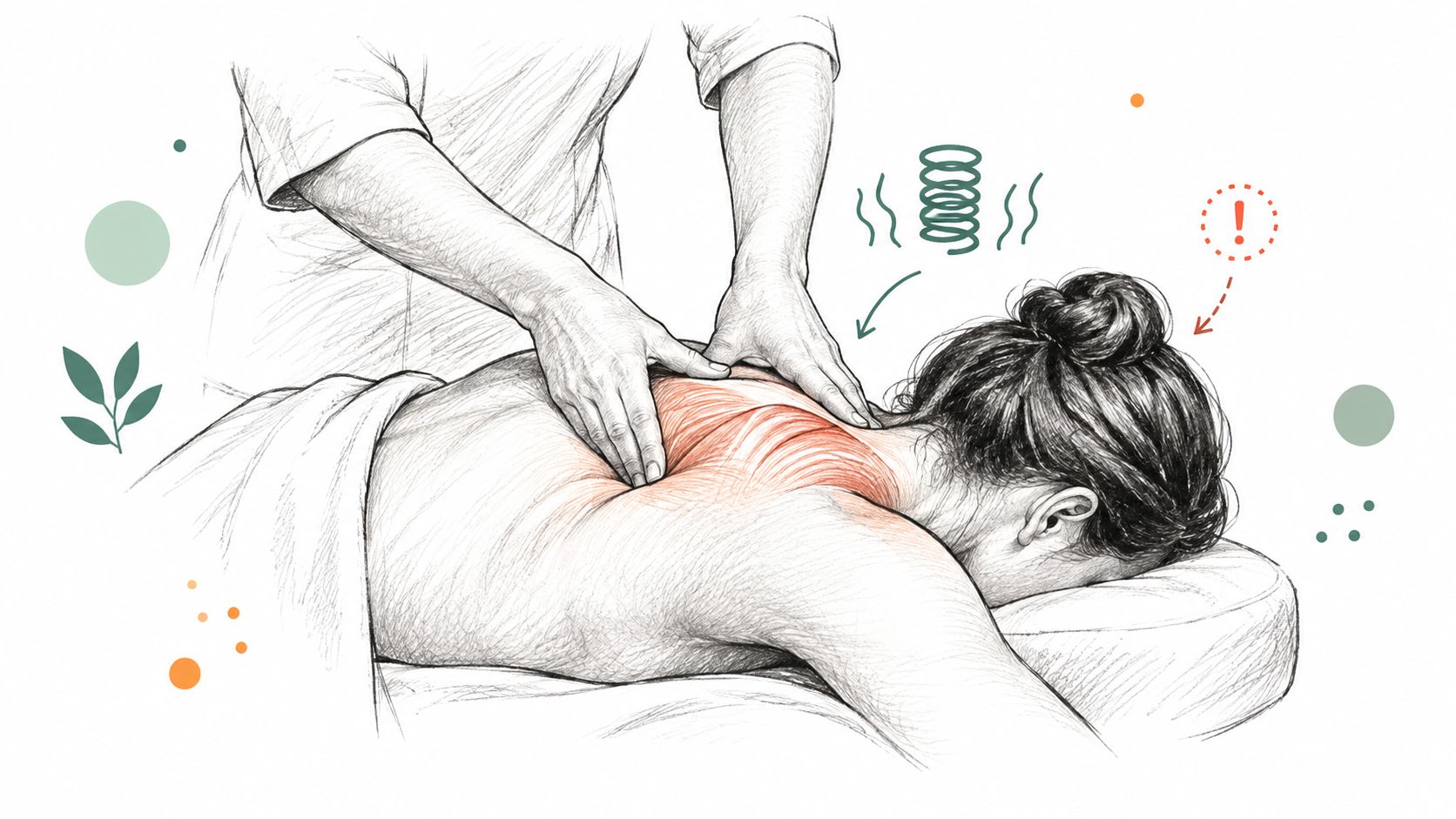
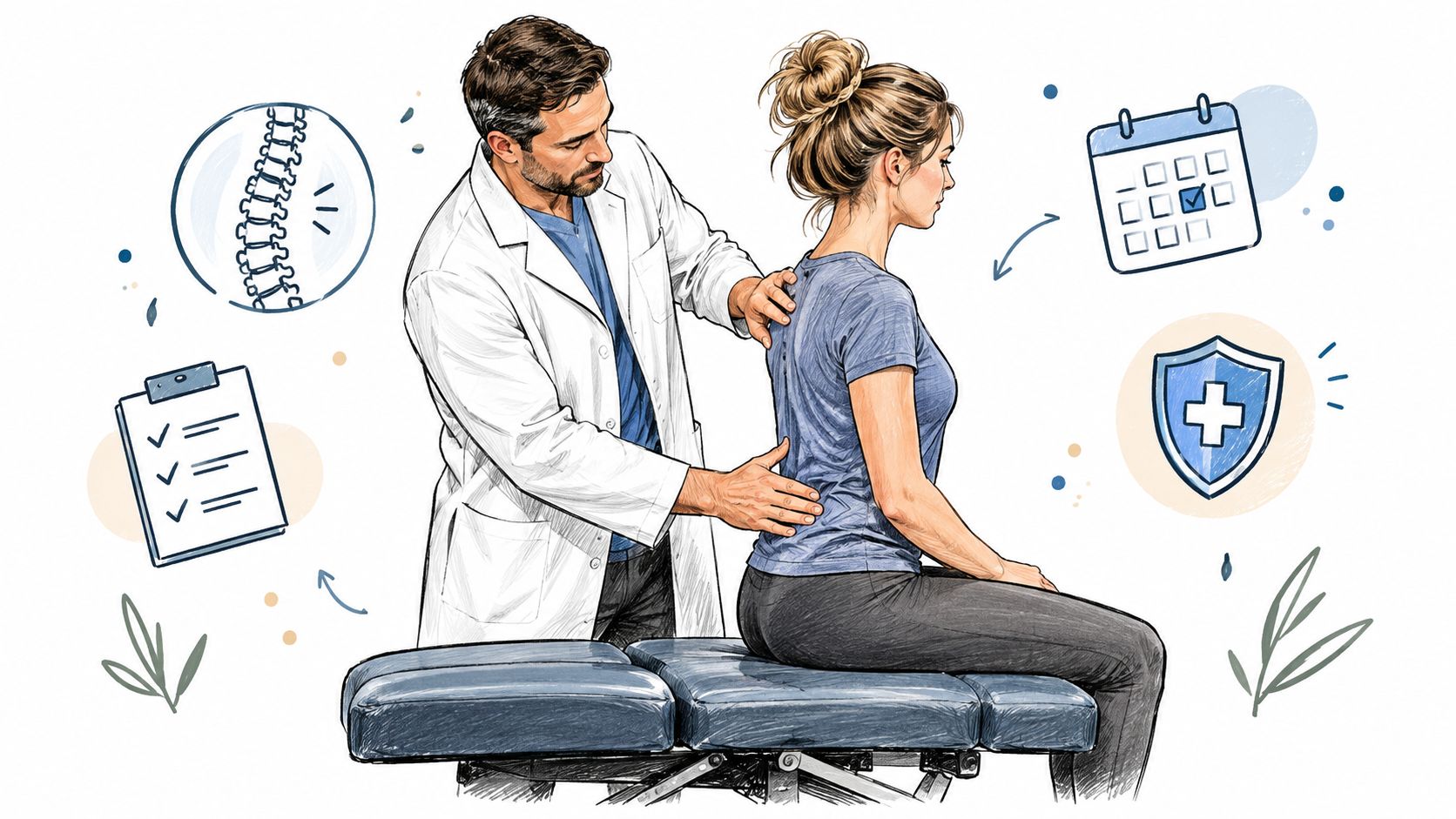
A chiropractor or physical therapist can assess spinal movement, sitting tolerance, workstation demands, muscle weakness, stiffness, and possible nerve irritation. Persistent symptoms may need a broader plan that includes Chiropractic Adjustment, Realignment, Mobility Therapy, Rehabilitation Exercise, or a personalized exercise program rather than more external pressure.
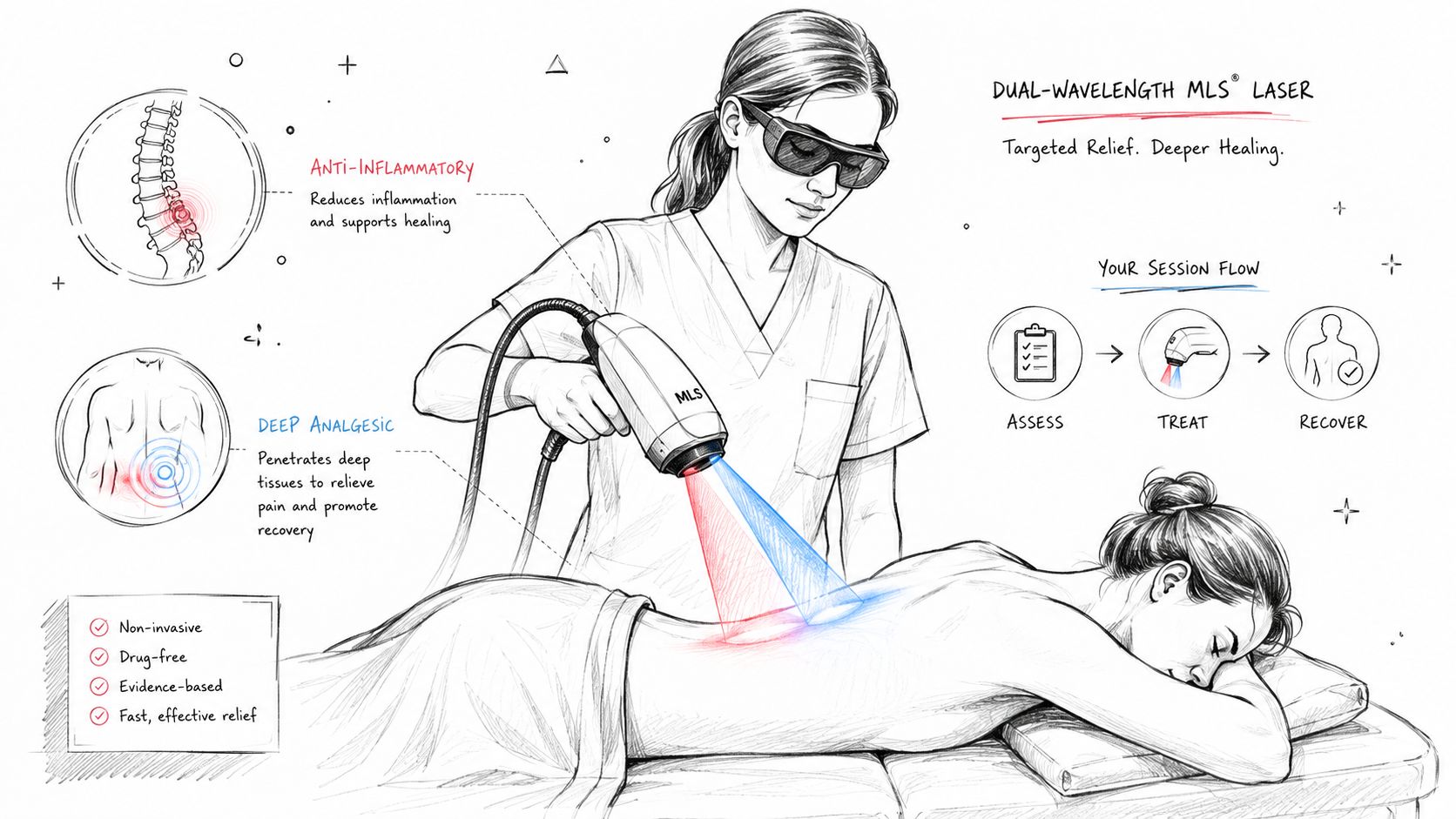
At Aspen Falls Wellness, an assessment can be paired with services such as SoftWave Therapy, MLS Laser Therapy, Massage Therapy, Acupuncture, Muscle Stimulation, Pain Relief planning, and Nutrition and Nutrition Counseling when those services fit the clinical picture. For disc-related concerns, Spinal Decompression with the DRX 9000, Decompression, or Sciatica Treatment may be considered as part of individualized Chiropractic Care, rather than as a substitute for examination.
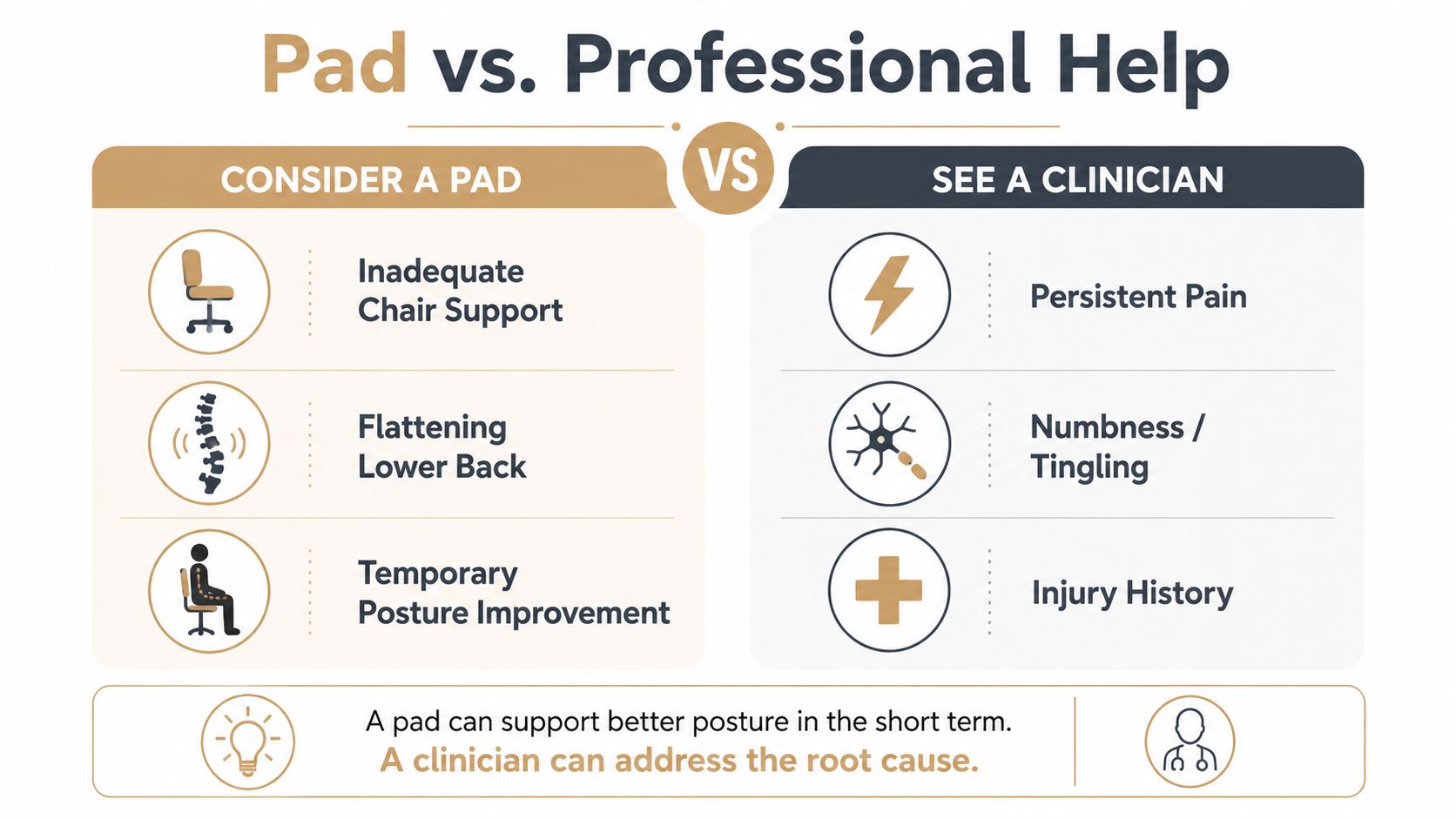
For a practical discussion of conservative options, see these lower-back pain solutions. The decision rule is straightforward: use a pad to support a good setup, not to conceal a poor one or postpone evaluation of persistent pain.
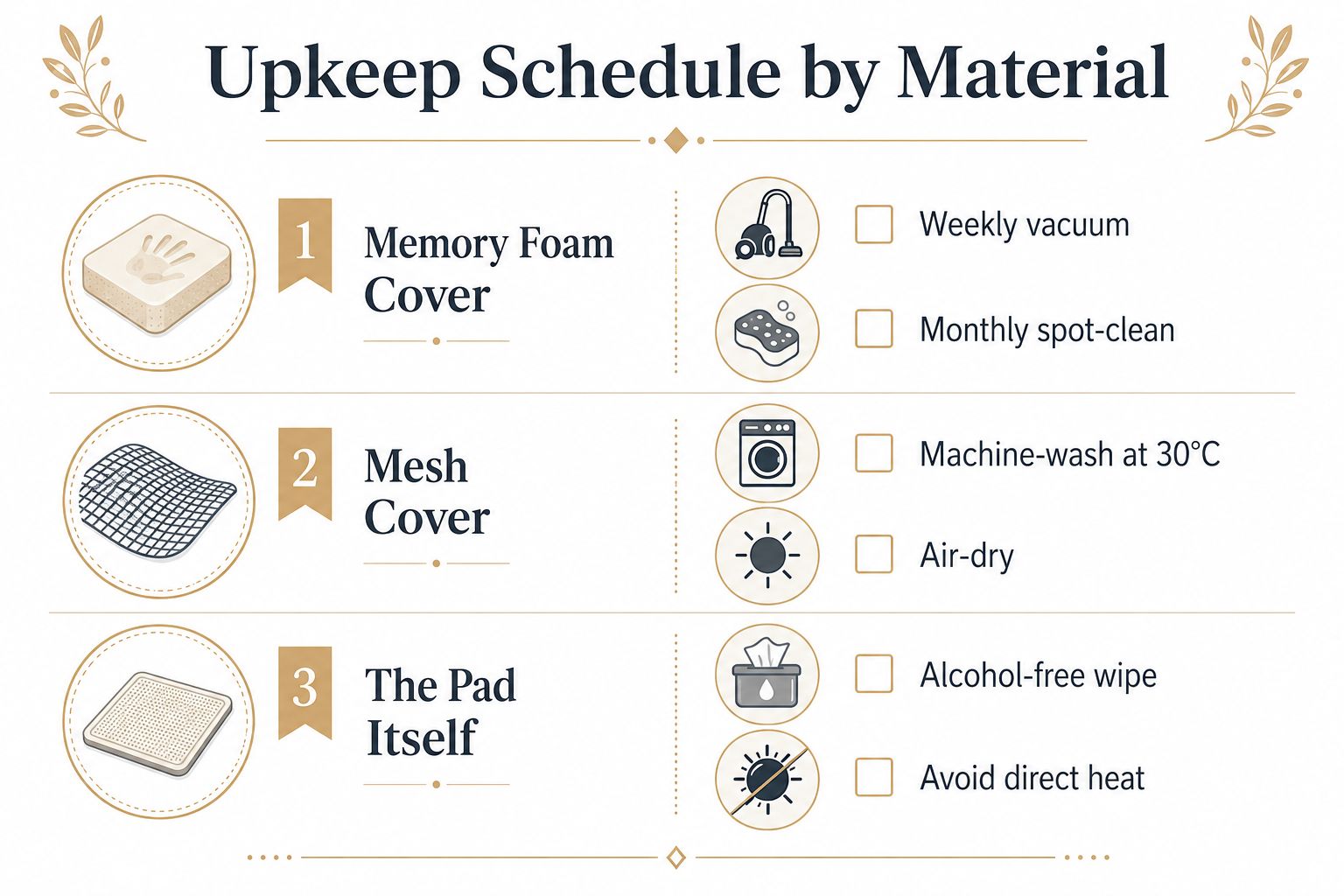
A lumbar pad fails gradually when its cover collects sweat, foam stays compressed, straps lose tension, or a valve develops a leak. Maintenance keeps the support predictable, which matters because a pad that has softened or shifted no longer provides the same fit you tested.
In a shared office, wipe the pad on a regular rotation and don't share an uncovered personal pad when someone is immunocompromised. Replace or thoroughly clean a personal pad after illness, especially if the cover has absorbed sweat or cannot be removed.
Replacement is appropriate when the apex has permanent compression greater than 10 mm, the shell cracks, straps perish, the valve leaks, or an odor remains after cleaning. With daily use, many pads need replacement approximately every 12 to 24 months, although material quality and workload affect the actual interval.
Persistent pain beyond four weeks despite correct pad fitting and workstation changes deserves escalation to physiotherapy or a spine clinician. Imaging isn't automatically necessary, but a clinician may consider it when red flags such as night pain, unexplained weight loss, or neurological symptoms are present. Before buying another pad, check whether the current one still holds its shape, stays aligned, and allows comfortable movement.
If your lumbar pad trial hasn't improved sitting tolerance, Aspen Falls Wellness can evaluate your spine, movement, and workstation-related symptoms and build a plan that may include Chiropractic Adjustment, Spinal Decompression, massage, acupuncture, or individualized Rehabilitation Exercise. Visit Aspen Falls Wellness to arrange an assessment and determine whether a better-fitting pad, chair change, or clinical care is the smarter next step.

Stay updated with the latest chiropractic news and exclusive offers.